 OneText
Tell all your friends. No group chat. No copy/paste.
Write one message. Each friend gets their own personal text, from your own number.
Free for 14 days, everything works. Mac, macOS 13 or later.
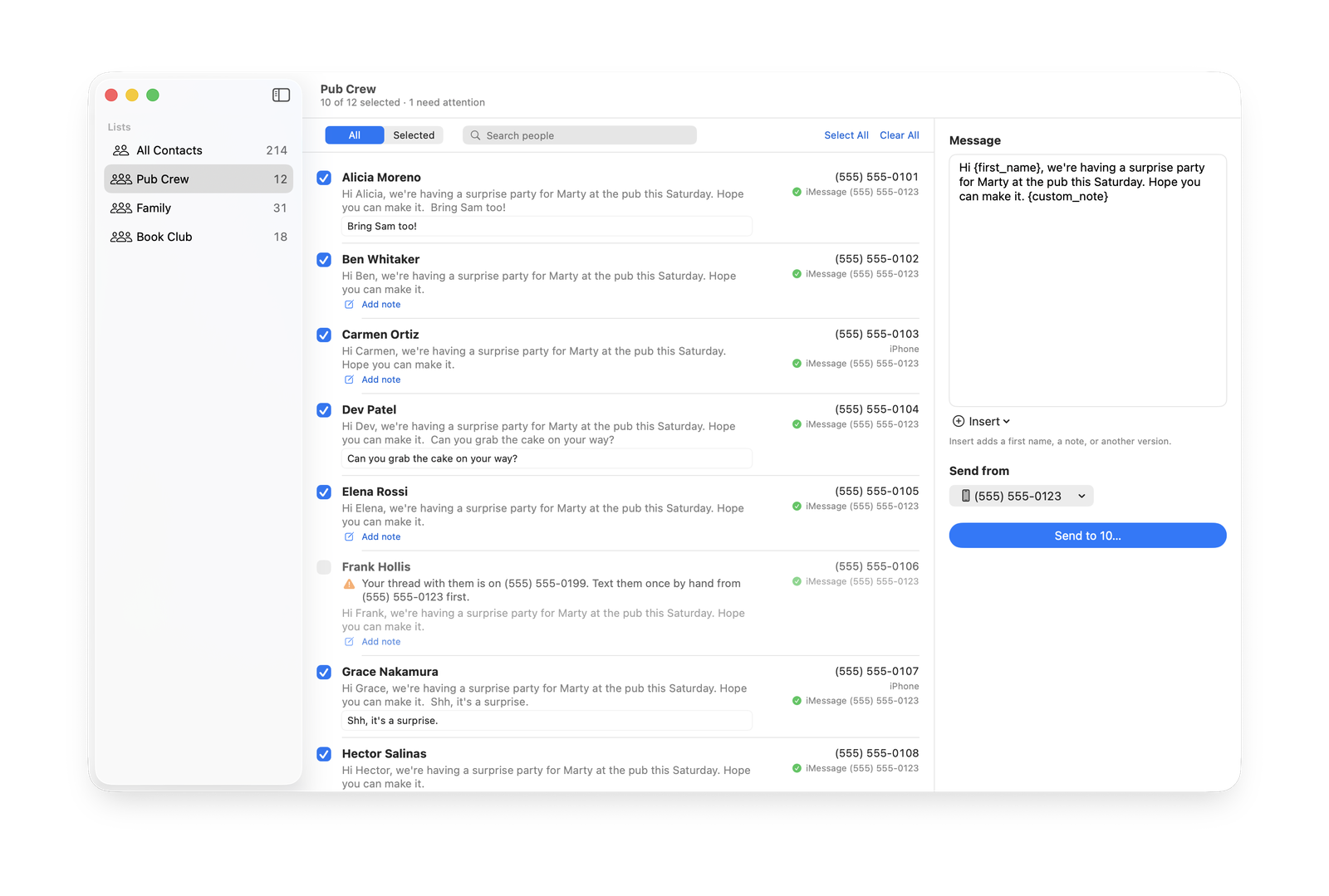
The invitation your friends actually read
- It feels personal, because it is
Each text uses their first name. Add a line just for them. Nobody sees who else you asked.
- It comes from you
Your number, your thread. When someone answers, the reply lands in Messages and you talk like you always do.
- Write it once
Pick your people, write the message, press send. OneText works through the list while you get on with your day.
Three steps. That is it.
- Pick your people
Choose a group from Contacts, then check each person by hand. Nobody is selected for you.
- Write your message
Use their first name and a personal note. Add alternate versions if you like.
- Press send
Texts go out through Messages, iMessage first and SMS if iMessage fails. Replies come back to you.
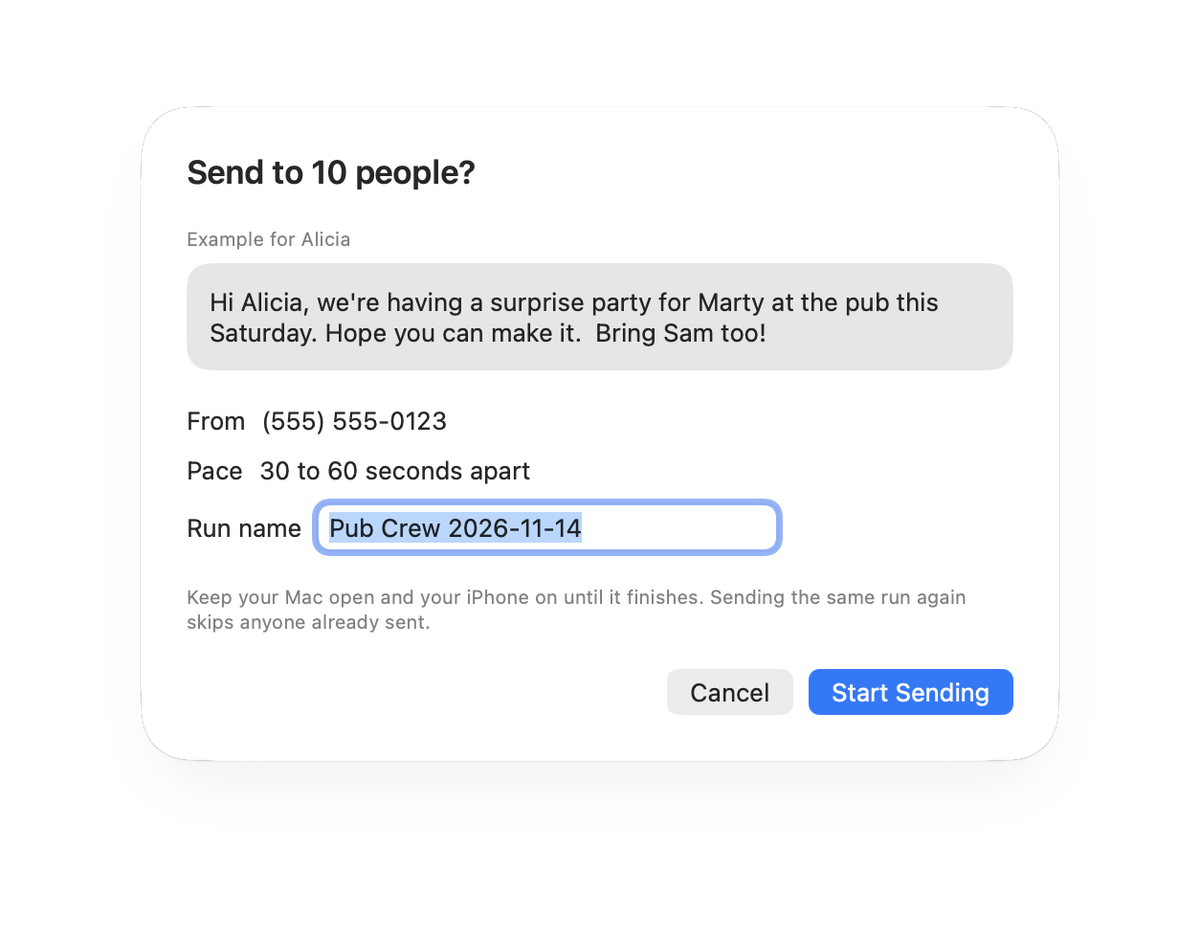
Slow on purpose. Careful by design.
- Paced sending
A random wait of 30 to 60 seconds between texts. Each one goes out on its own, not in a burst.
- Sending hours
Texts go out between 10:00 and 20:00 by default. Change the hours any time. Starting outside them pauses the run.
- Line check
If your iPhone has two lines, OneText checks which line each text left on and pauses if it is the wrong one.
- A log of every send
Every text is written to a file on your Mac. Run the same batch again and people already sent are skipped.
It also pauses after three failures in a row, refuses a send larger than your cap until you pick fewer people, and keeps your Mac awake while it works.
What it is not
OneText is not for bulk or cold outreach. It has no import from lists, no campaigns and no tracking. It is for people who know you and expect to hear from you, like the guests of a restaurant you run.
It is a Mac app that you download from this site. It is not in the App Store.
Start messaging now.
$19 once, for two of your Macs. No subscription.